
Zebra Printer Repair Guide
- Free 90-Day Warranty
- 5 In-House Technicians
- On-Site Across the Phoenix Metro
- No Maintenance Contract Required
- Updated October 26, 2026
Replace a Zebra printhead when it prints thin white lines or blank patches in the same spot on every label, even after a proper cleaning. If the print is faded across the whole label, skips, or the printer throws a head error with the head closed, the printhead is often fine and the fault is somewhere else — the platen roller, a sensor, or the head cable.
A printhead is the most expensive wear part in a thermal label printer, so it is worth knowing which case you are in before ordering one. This guide covers how to read the symptoms, what wears printheads out early, and how Sterling Mobile Services decides between a printhead replacement and a wider repair at our Phoenix depot.
What Does a Worn Zebra Printhead Look Like?
A failing printhead leaves a fault that repeats in the same position on every label. The head is a row of tiny heating elements, called dots, across the width of the label. When a dot burns out, it stops heating and leaves an unprinted line that runs the full length of every label in exactly the same place.
| What you see | Most likely cause | Is it the printhead? |
|---|---|---|
| Thin white line in the same spot on every label | Burnt-out dots on the printhead | Yes, if it survives a cleaning |
| Barcode fails to scan where the white line crosses it | Burnt-out dots splitting the bars | Yes — this is the point most sites replace the head |
| Whole label printed light or patchy | Darkness too low, wrong ribbon for the media, worn platen roller | Usually not |
| Smudged or smeared print | Ribbon and label stock mismatched, or a dirty head | Clean first; rarely the head |
| Labels skip or print off position | Media sensor or calibration | No |
| “Head open” or printhead error with the head latched | Head latch sensor, head cable or connector | Sometimes — needs a bench check |
Clean the printhead before you decide anything. Build-up from labels and ribbon looks exactly like a burnt-out dot and wipes away. If the line is still there after a cleaning and a fresh roll of media, it is a hardware fault. For the full list of print faults and their fixes, see our Zebra printer troubleshooting guide.
What Shortens Zebra Printhead Life?
Printheads wear in proportion to how much media runs across them and how hard they are driven. Most early failures we see on the bench come from a handful of habits that are cheap to fix.
- Ribbon narrower than the labels. Where the ribbon stops, the printhead rubs directly against the label stock. Always run a ribbon at least as wide as the media.
- Darkness and speed set too high. Running the head hotter than the job needs to cover a print-quality problem shortens its life. Fix the underlying ribbon or media mismatch instead.
- Low-cost or abrasive media. Rough label stock and adhesive that oozes from the edges wear the head surface and leave deposits.
- Skipped cleaning. Residue on the head forces it to work harder and can scratch the protective coating. Clean it whenever you change the ribbon or a media roll.
- Heat, dust and static. In non-climate-controlled warehouses along the I-10 and Loop 202 corridors, summer heat and fine dust settle on the head and the platen. Static from dry Arizona air can also damage dots.
Zebra publishes cleaning procedures and the correct cleaning supplies for each model on its support and downloads site. Use the cleaning pen or isopropyl alcohol it specifies, never a tool that can scratch the head.
Replace the Printhead or Repair the Printer?
Replace the printhead when the fault is in the head itself, and repair the printer when a new head would not fix the symptom. Fitting a new printhead against a worn platen roller is one of the most common ways to waste the cost of a head, because the roller is what presses the label and ribbon against it.
| Situation | Usual fix | Why |
|---|---|---|
| White line in the same place after cleaning | Printhead replacement | Burnt-out dots cannot be repaired |
| New printhead, print still faded or uneven | Platen roller, head pressure or alignment | A worn or glazed platen cannot press evenly |
| Printhead error on the display | Head latch sensor, cable or connector check | A fault in the head circuit can look like a dead head |
| Printhead and platen both worn | Replace both together | They wear as a pair; doing one leaves the other limiting print quality |
| Older printer with several faults at once | Compare repair with a refurbished replacement | Several parts on one aging unit can approach the cost of a refurbished printer |
Match the resolution
Zebra industrial printers come in different print resolutions, commonly 203 dpi and 300 dpi. A replacement printhead has to match the resolution the printer is set up for, or labels print the wrong size. Check the printer configuration label before ordering.
Zebra Printers Sterling Mobile Repairs
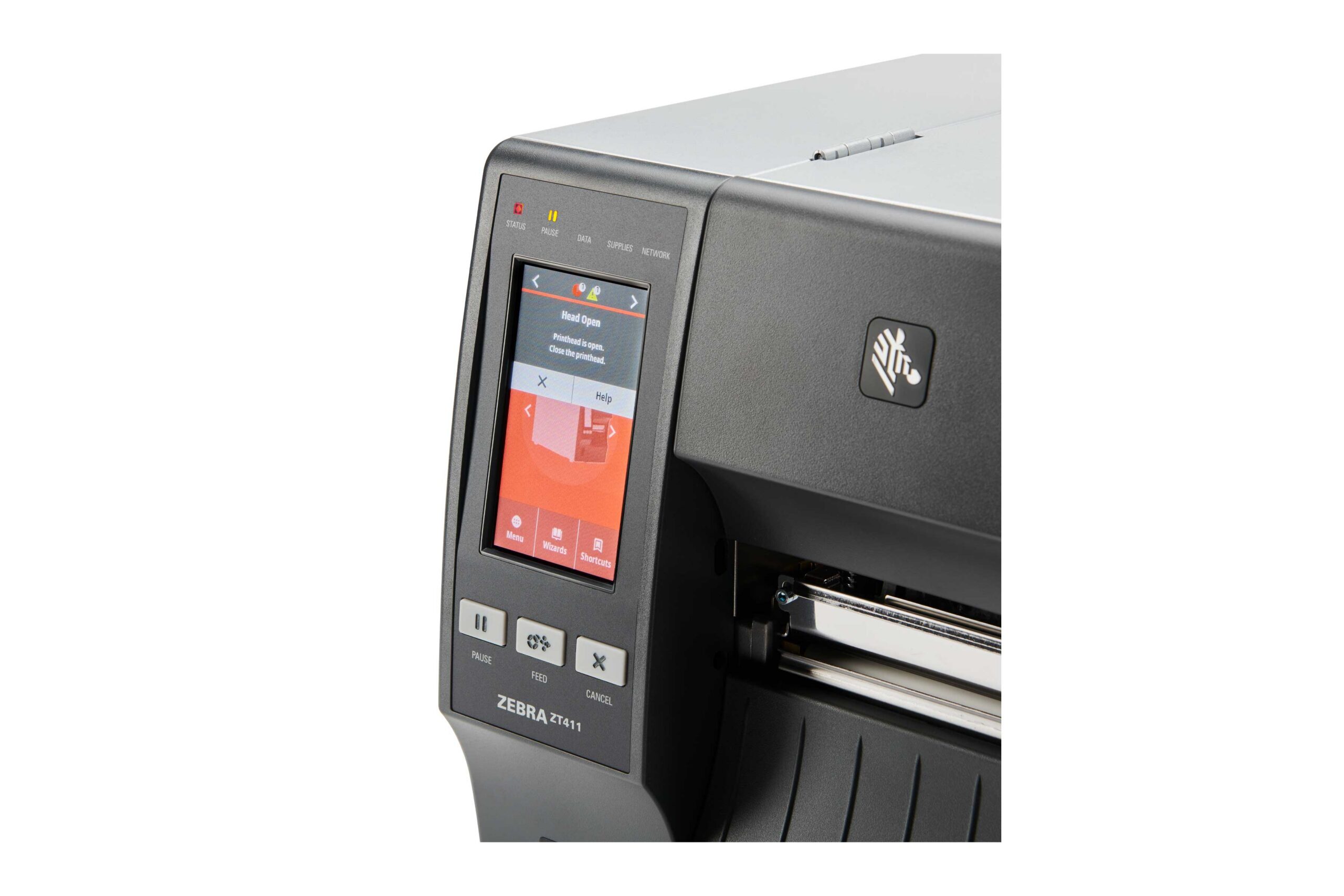
Sterling Mobile Services repairs Zebra industrial printers, including the ZT410 and ZT420 and the ZM400, along with other Zebra models and other thermal label printer brands. Send us your model number with a short description of the fault and we will confirm before you ship or book a visit.
Every repair follows the same steps at our Phoenix depot:
- Inspect. Printhead, platen roller, media and ribbon sensors, and the head cable are checked together, so the quote covers the actual fault.
- Quote. Flat-rate or per-incident pricing is approved before any work starts. No maintenance contract is required.
- Repair and clean. Worn parts are replaced and the print path is cleaned.
- Test. The printer is calibrated and test-printed to manufacturer specifications, then returned with a free 90-day warranty.
Phoenix-metro customers can choose on-site service instead of shipping, which saves the freight and the downtime of boxing up an industrial printer. Details on both are on our Zebra printer repair page and our Phoenix repair depot page.
Zebra Printhead FAQs
How long does a Zebra printhead last?
It depends on how much media runs through the printer and how it is treated. Zebra rates printhead life by the length of media printed, and darkness settings, media quality, ribbon width and cleaning habits all change how quickly a head wears. A head running a narrow ribbon on rough stock at high darkness can fail far earlier than one that is cleaned at every ribbon change.
Can I replace a Zebra printhead myself?
On many Zebra industrial printers the printhead is designed to be changed by the operator, with the cable and mounting accessible from the media compartment. The common mistakes are ordering the wrong resolution, not seating the connector fully, and skipping the calibration afterward. If a new head does not fix the print, the platen roller or head pressure is the next suspect, and that is where a bench repair usually starts.
Why does my new printhead still print badly?
The most common reason is a worn platen roller. The roller presses the label and ribbon against the head, and a glazed or flat-spotted roller prints faded or patchy no matter how new the head is. Incorrect head pressure, a resolution mismatch and a darkness setting left high from the old head are the other usual causes.
Is it worth repairing an older Zebra printer?
Often yes, when the fault is a single worn part such as a printhead or platen. When an older printer needs several parts at once, compare the quote with a refurbished replacement printer, which typically costs 25–50% less than new. If you replace it, Sterling Mobile can also buy the old printer, working or not.
Do you replace printheads on-site in Phoenix?
Yes. Sterling Mobile provides on-site printer repair across the Phoenix metro, including Tempe, Chandler, Mesa, Scottsdale and Glendale, and businesses can also drop printers off at our depot at 5631 S 24th St near Sky Harbor. Customers outside Arizona ship printers to the depot; our repair packing list explains how to pack them.
Printhead Worn Out? Get It Fixed in Phoenix
On-site across the Phoenix metro, drop-off at our South Phoenix depot, or ship-in from anywhere in the US. Five in-house technicians, a quote before any work starts, and a free 90-day warranty on every repair.
Call (480) 785-4711 → Request a Free Quote Today! →Need labels printing while your printer is in for repair? Short-term printer and scanner rentals cover the gap.
Phone: (480) 785-4711 · Fax: (480) 785-4717 · info@sterlingmobile.com
5631 S 24th St, Phoenix, AZ 85040
Mon–Fri 8:00 AM – 5:00 PM Arizona time · Sat–Sun closed
Last updated: October 26, 2026