
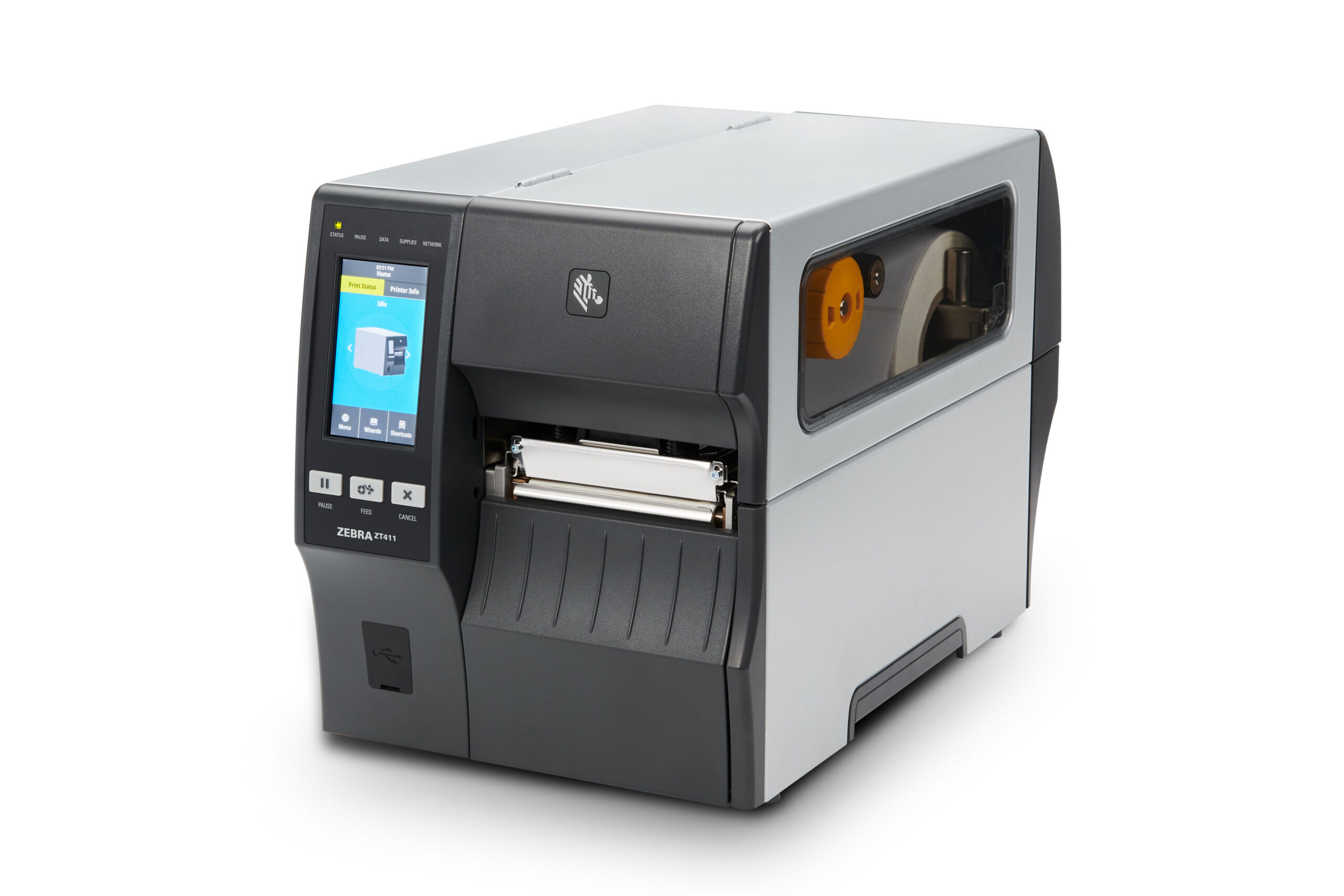
A used Zebra printer is worth what its model family, printhead life and odometer say it is worth, not what it cost new. An industrial ZT411 with a healthy printhead and its network card still has real resale value, while a desktop GK420d that needs a new printhead may be worth more as parts than as a working unit. This guide explains what buyers check, how to read your own printers’ numbers in two minutes, and how to get a written offer from Sterling Mobile’s buyback team in Phoenix.
What decides the value of a used Zebra printer
Five things decide most of the offer on a used Zebra printer: the model family, the printhead, the odometer, the options installed, and how many units you are selling. Model family matters most because it sets demand: current industrial printers resell faster than discontinued desktop units. The printhead is the single most expensive wear part, so its condition moves the number more than cosmetic scratches do.
- Model family and generation. Current Link-OS models (ZT411, ZT421, ZT231, ZD621, ZQ6) are in demand. Older families such as the ZM400, 105SL and S4M are past end of sale and are bought mainly for parts or for fleets that still run them.
- Printhead condition. Missing dots (white lines through barcodes) or a burned element usually means the printhead needs replacing before the unit can be resold as working.
- Odometer reading. Zebra printers record how many inches of media they have printed. A low odometer on an industrial unit is a strong selling point.
- Installed options. Wired or wireless print server cards, cutters, peelers with liner take-up, RFID encoders and 600 dpi printheads all add value when they work.
- Quantity and matching models. A batch of the same model is easier to refurbish and resell than single mixed units, which usually improves the per-unit offer.
Which Zebra printer families hold their value
Industrial and current-generation Zebra printers hold their value best; legacy desktop and older mobile units hold the least. The table below shows how buyers generally treat each family. It describes demand, not prices, because a fair offer depends on the condition of your specific units.
| Family | Example models | Typical resale demand | What buyers check first |
|---|---|---|---|
| Industrial, current | ZT411, ZT421, ZT231, ZT610 | High | Printhead dots, odometer, print server card |
| Industrial, previous generation | ZT410, ZT420, ZT230, 110Xi4 | Moderate to high | Printhead, platen roller wear, firmware version |
| Industrial, legacy | ZM400, ZM600, 105SL, S4M | Low to moderate, often parts value | Whether it powers on and prints, mainboard and printhead |
| Desktop, current | ZD421, ZD621, ZD411 | Moderate | Printhead, cutter or peeler, connectivity |
| Desktop, legacy | GK420d, GK420t, GX420, LP2844 | Low | Working printhead, power supply included |
| Mobile | ZQ520, ZQ620, QLn420, QLn320 | Moderate for ZQ, low for QLn | Battery health, cracked housings, charging cradles |
If you are not sure which model you have, the model number is printed on the label on the back or underside of the printer, and on the configuration label described below.
How to check your printer’s odometer and printhead in two minutes
The fastest way to see what your printer is worth is to print a configuration label, which lists the model, firmware, odometer and installed options. On most Zebra industrial and desktop printers you print it by holding the FEED button while the printer is idle, or through the Print Configuration item in the control panel menu. Zebra explains the method for each model in its official support and downloads pages.
- Load media and print a configuration label from each printer you plan to sell.
- Note the NONRESET CNTR or odometer line, which shows total media printed.
- Look along the printed label for thin white vertical lines. Those are missing printhead dots.
- Take a phone photo of each label and the model sticker. Those photos are what a buyer needs to give you a firm offer.
Repair, sell or keep: making the call
Sell a Zebra printer when the cost of fixing it is close to its resale value, or when you are replacing the fleet anyway. Repair it when it is a current model with one failed part, such as a printhead or platen roller, and the rest of the unit is sound. Sterling Mobile’s in-house bench does both, so you can get a repair estimate and a buyback offer on the same units and compare them side by side.
| Situation | Usual best move |
|---|---|
| Current model, worn printhead, rest of unit working | Repair it: a printhead replacement restores full print quality |
| Fleet upgrade to newer models | Sell the old units in one batch and put the credit toward the replacements |
| Legacy model (ZM400, 105SL, GK420) with several faults | Sell for parts value, or replace with a refurbished current model |
| Printers sitting unused in storage | Sell now: resale demand drops as each family ages |
For model-specific detail, see the guides on ZT410 and ZT420 repair, printheads and refurbished units and the Zebra ZM400.
How Sterling Mobile buys used Zebra printers
Sterling Mobile buys used and surplus Zebra printers through its barcode equipment buyback program, from single units to whole warehouse fleets, nationwide. Send the model numbers, quantities and configuration label photos, and the buyback team replies with a written offer. Equipment ships to, or is dropped off at, the depot at 5631 S 24th St, Phoenix, AZ 85040. Sterling Mobile never asks for equipment to be sent to any other address.
- Every printer is tested by one of 5 in-house technicians; nothing is sent out.
- The buyback program also covers barcode scanners and mobile computers, so a mixed lot can be quoted in one request.
- Phoenix-area businesses can drop units off at the depot instead of paying freight.
Get an offer for your used Zebra printers
Call (480) 785-4711 or send your models and quantities below. You can also read more about the Sterling Mobile buyback program.
Frequently asked questions
How much is a used Zebra printer worth?
It depends on the model family, printhead condition, odometer and options. Current industrial models such as the ZT411 are worth the most; legacy desktop units like the GK420d are often worth parts value. Send a configuration label photo for a written offer on your specific units.
Do you buy Zebra printers that do not work?
Send the details anyway. A non-working printer can still have parts value, depending on which components are good. Describe the fault on each unit and the team will tell you whether it can make an offer.
Should I replace the printhead before selling?
Usually not. A buyer with an in-house bench can replace a printhead for less than you would pay, so the offer reflects the cost of the part rather than its retail price.
Can I sell printers if I am outside Arizona?
Yes. The buyback program is nationwide. Units ship to the Phoenix depot, and Phoenix-metro businesses can drop them off instead.