
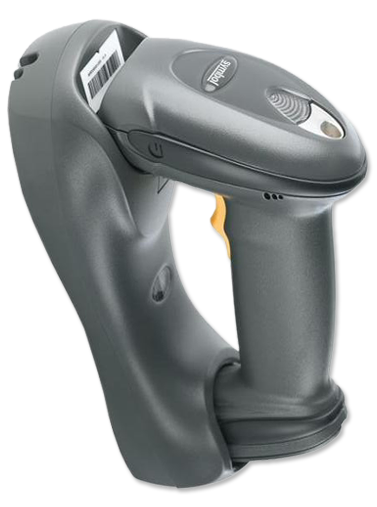
When your barcode scanner stops working, a step-by-step fix can help. First, check the connections and make sure it’s charged. Resetting the scanner is also a good move. Try these fixes when it’s not busy to avoid problems.
Scanners can fail for many reasons, like bad connections or wrong settings. Start by making sure it’s paired, charged, and connected right. These simple steps can fix many issues and get your scanner working again fast.
Key Takeaways
- Check all physical connections of the barcode scanner.
- Ensure the device is fully charged.
- Reset the scanner as a basic troubleshooting step.
- Verify correct pairing and connection settings.
- Perform troubleshooting outside of peak hours to avoid disruptions.
- Investigate and resolve both hardware and software issues.
Basic Troubleshooting Steps for Barcode Scanners
When you start troubleshooting barcode scanners, make sure connections are secure. For wired scanners, unplugging and replugging the USB cable until it clicks into place is key. Bluetooth scanners need the USB receiver to be well-plugged into the computer.
It’s also important to check the power and battery. Make sure the scanner’s battery is charged and fits right. If it uses a power cord, make sure it’s plugged in well.
Keeping the scanner window clean is essential. Clean it often to remove dust, fingerprints, or other things that might block scanning. Use a soft, lint-free cloth for cleaning.
The Notepad Test can help find the problem. Open Notepad and scan a barcode. If the barcode shows up right in Notepad, the issue might be with your software. But if it doesn’t, the scanner could be broken.
To fix barcode scanner problems, always check the connections, power, and cleanliness. These simple steps can often solve common issues.
Resolving Hardware and Connection Issues
When a barcode scanner stops working, start by checking the hardware and connections. A key step is the USB Port and Cable Inspection. Make sure the USB port gives stable power, as some PC ports might not have enough.
Look closely at the cable for any signs of wear or damage near the connectors. Problems like these can cause the scanner to fail sometimes. For wireless scanners, check the battery for a good charge and proper fit. A weak battery or connection can make the scanner not work right.
Also, check for loose connections in USB and Bluetooth setups. Loose connections can cause scanners to act strangely. Fixing these can make the scanner work better and stop it from being unresponsive.
By following these steps, you can fix common problems with barcode scanners. This will help reduce downtime and make things less frustrating.
How do I fix my barcode scanner not working?
Dealing with a barcode scanner that won’t work can be tough. But, there are steps you can take to fix it. First, check interface mode settings. Make sure it’s set to USB-HID (Keyboard Mode). This is the most common setting and works well for many users.
If you see wrong characters when scanning, change the PC and scanner to the same keyboard language. Usually, this is English (US). This helps avoid any input character problems.
Also, check if the scanner’s symbology settings match the barcodes you’re scanning. Different barcodes need different settings. And, make sure the barcode labels are good quality. Bad labels can cause scanning issues.
Lastly, check if the scanner and software work well together. Make sure the scanner settings match what the software expects. This helps avoid problems like parsing errors or data mismatches.
By following these steps, you can fix your barcode scanner issues. Pay attention to interface mode settings and compatibility. This will help you get your scanner working right again.
Conclusion
Fixing barcode scanner problems needs a careful plan that looks at both hardware and software. Checking power connections, the scanner’s condition, and software updates is key. Regular upkeep, like cleaning the scanner and checking batteries, helps prevent problems.
Knowing how to fix common issues with your scanner can save time and boost work efficiency. If simple fixes don’t work, getting help from experts or the maker is a good next step. This way, your scanner will keep working well for your business.
Need to buy barcode scanners online? Contact Sterling Mobile Services at (480) 864-4413 or contact us online today for equipment rentals, repairs, and more!